PREAMPLIFIER
Warmth with an edge.
Two-stage tube-inspired drive, LINE/MIC gain, High Gain, phase and a high-pass filter. Start clean or push for character.
 COMMUNITY RELEASE
MADE FOR MPC STANDALONE
Tube character. Smooth compression. Four bands of tone shaping. One channel strip for your drums, vocals, bass and instruments.
Requires MPC OS 3.10.1+ and External Plugin Support.
TUBE CHARACTER / MPC CONTROL
ANALOG-INSPIRED. STANDALONE.
THE COMPLETE STRIP
Real controls, clear values and the hardware feel of a brushed-metal rack unit.
Production UI preview. Select a tab to explore, or click the image to enlarge.
PREAMPLIFIER
Two-stage tube-inspired drive, LINE/MIC gain, High Gain, phase and a high-pass filter. Start clean or push for character.
OPTICAL DYNAMICS
Optical-style compression with threshold, ratio, attack and release. Link stereo detection or place the EQ before the compressor.
FOUR-BAND EQUALIZER
Bass and treble shelves, two adjustable mid bands, Hi-Q and ×10 frequency options. Route the mids to the compressor sidechain.
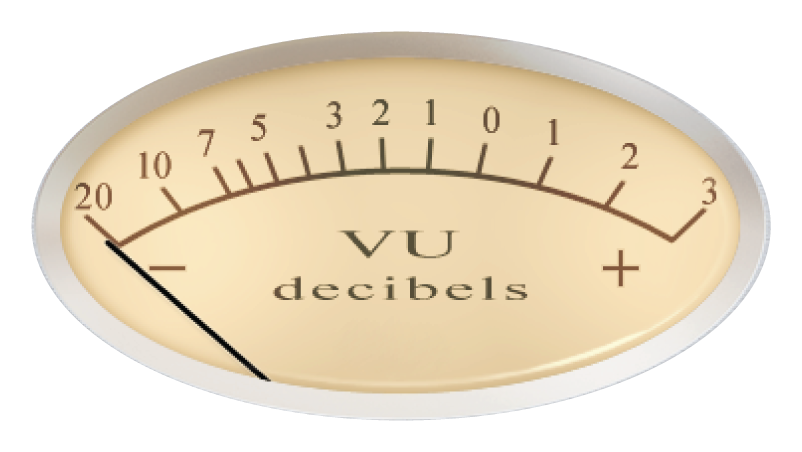
Independent Output Trim and Headroom keep preset levels controlled. The live meter switches between output level and actual compressor gain reduction.
A STARTING POINT FOR YOUR SESSION
Init plus 31 settings for drums, vocals, keys, guitar and bass. Load one, then make it yours.
FROM DOWNLOAD TO YOUR MPC
Use an SD card or USB drive your MPC supports. Both processor builds are in the same ZIP.
Download version 0.3.2 and unzip it on your computer. Keep the entire plugin folder intact.
At the drive’s top level, create VST2 Plugins. Put the Maison Bijon Studio - VST - Vibe Tube Equalizer folder inside it. Then safely eject and connect the drive to your MPC.
On MPC OS 3.10.1+, open Preferences → Enhancements (Beta). Enable Enhancements and External Plugin Support. Save your project and restart the MPC.
Add an insert effect, open External Plugins and select Vibe Tube Equalizer. Choose a preset from the dropdown and use the touch controls or Q-Links.
VST2 Plugins/
  Maison Bijon Studio - VST - Vibe Tube Equalizer/
    plugin.json
OPTIONAL ASSISTED COPY
In a supporting desktop browser, choose your mounted MPC drive, SD card or USB drive. This page can verify the ZIP and copy the plugin files after you confirm the destination.
Chrome or Edge over HTTPS is recommended. Your browser will ask for folder access.
Selected destination
The drive must be visible to your computer. An MPC connected by cable may need Controller Mode and the appropriate driver. A separate card reader or USB drive also works. Automatic USB detection and silent installation are not supported by browsers.
GOOD TO KNOW
This package includes ARM32 and ARM64 builds for MPC standalone hardware running OS 3.10.1 or later with External Plugin Support enabled. Hardware testing was performed on MPC Live III with OS 3.10.1.12. This download is an MPC effect, not a desktop VST or AU.
Output Trim applies the gain shown on the knob. Headroom is independent attenuation saved with each preset. For example, +2.5 dB Output Trim with −8.5 dB Headroom gives −6 dB combined output gain. This lets the presets keep their intended trim values with space for EQ boosts and transients.
GR shows actual compressor reduction. It may stay at zero with a 1:1 ratio or when the signal is below the threshold. Select OUTPUT to follow the sound level. The numeric GR readout remains useful beyond the printed meter scale.
Yes. Use the MPC’s native Save Preset command. Load saved .xpl files with the preset-load folder control or gear → Load Plugin. Your project also saves the effect state. Saving another .xpl does not add an entry to the built-in dropdown.
Save your project and back up the current plugin folder. Replace the whole folder with the new one and restart the MPC. Reselect a preset to load updated factory settings; existing projects and saved presets retain their saved values. The browser copier protects completed existing installations, so use this manual procedure for updates.
The folder-access API is not available in every browser. Use current desktop Chrome or Edge on an HTTPS page, or follow the manual SD/USB steps above. A USB cable alone does not expose storage on every MPC model. MPC One, One+ and Key 37 do not mount external USB thumb drives to the computer in Controller Mode; use their SD card or connect the USB drive directly to the computer instead.
Full user guidePreset list & levelsDownload checksumAkai drive-transfer guide
YOUR MPC. A LITTLE MORE CHARACTER.